Table of Contents
- บทนำ: OpenClaw คืออะไร?
- Part 1: What is the Core Architecture of OpenClaw?
- Part 2: How do OpenClaw Agents Communicate?
- Part 9: Which AI Models and Auth Profiles are Supported?
- Part 10: How to Monitor and Maintain OpenClaw Operations?
- Part 11: How to Enable Remote Access for AI Agents?
- Part 12: How Does the OpenClaw Ecosystem Work Together?
- FAQ — Questions About OpenClaw Architecture
- Q1: What is the difference between OpenClaw and ChatGPT?
- Q2: Do I need programming skills to use OpenClaw?
- Q3: Is my data secure when using OpenClaw?
- Q4: How much does it cost to run OpenClaw?
- Q5: What can I build with OpenClaw agents? (Best Use Cases)
- Q6: What is the difference between an AI Bot and an AI Agent?
- Q7: When do OpenClaw sessions expire?
- Q8: Which AI model is best for OpenClaw agents?
- Q9: How to get started with OpenClaw?
- Q10: Is there an OpenClaw community or support?
- Key Takeaways: Strategic Decisions with OpenClaw
- English Summary: Deciphering OpenClaw Architecture
- Conclusion — สรุป
- เริ่มต้นใช้งาน OpenClaw วันนี้!
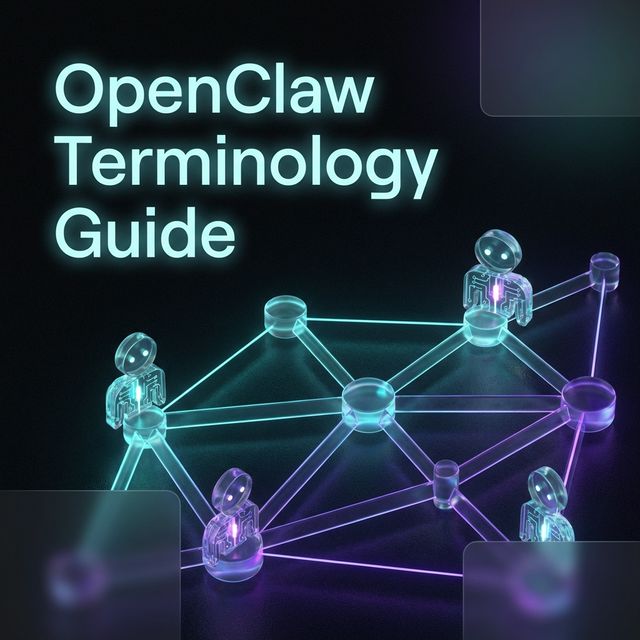
OpenClaw Terminology Guide: คำศัพท์ Technical อธิบายแบบเข้าใจง่าย
[!NOTE] > Problem: ศัพท์เทคนิคในโลกของ AI Agents มักจะซับซ้อนและเข้าใจยาก Audience: นักพัฒนา (Developers), ผู้ประกอบการที่สนใจ AI (AI-Savvy Businesses), และผู้เริ่มต้นใช้งาน OpenClaw Outcome: เข้าใจโครงสร้างหลักและหน้าที่ของแต่ละส่วนประกอบใน OpenClaw Architecture อย่างชัดเจน
บทนำ: OpenClaw คืออะไร?
[!IMPORTANT] > Definition Block: > OpenClaw คือ “Multi-Agent Orchestration Framework” ที่เน้นการเชื่อมต่อระหว่าง AI Agents กับโลกภายนอกผ่านศูนย์กลางที่เรียกว่า Gateway โดยมีจุดเด่นในการจัดการ Connectivity แบบ Cross-Platform และการควบคุมอุปกรณ์ระยะไกล (Remote Control)
OpenClaw คือ AI Agent Framework ที่ช่วยให้คุณสร้างและจัดการ AI Agents ได้อย่างมีประสิทธิภาพ โดยทำงานผ่าน Gateway ที่ทำหน้าที่เป็นศูนย์กลางเชื่อมต่อระหว่าง Agents ต่างๆ กับ External Services เช่น Telegram, Discord, Line, Email หรือแม้แต่ Browser และ Remote Devices สำหรับผู้ใช้งานทั่วไป OpenClaw ทำให้ AI Agents สามารถ “มองเห็น” และ “ควบคุม”โลกภายนอกได้เหมือนกับที่มนุษย์มีมือ ตา และสมองทำงานประสานกัน
ถ้าเปรียบเทียบง่ายๆ OpenClaw ก็เหมือนกับ โรงงานอัจฉริยะที่มีพนักงาน AI (Agents) หลายคน ทำงานอยู่ภายใต้การดูแลของผู้จัดการ (Gateway) ที่คอยประสานงานและจัดสรรทรัพยากรให้ทุกคนทำงานได้อย่างราบรื่น
Part 1: What is the Core Architecture of OpenClaw?
[!TIP] > Framework Summary: ระบบ OpenClaw ประกอบด้วย 3 ส่วนหลักที่ทำงานประสานกัน:
- Gateway: ศูนย์กลางการควบคุมและการจัดการ Connectivity
- Agent: หน่วยประมวลผล AI ที่มีการกำหนด Personality และ Tools
- Workspace: สภาพแวดล้อมที่จำกัดขอบเขตการทำงานและทรัพยากรของ Agent
Gateway — ผู้จัดการศูนย์กลาง (Control Hub)
[!NOTE] > Decision Explanation: ทำไมต้องมี Gateway? แทนที่จะให้ Agent คุยกับ API โดยตรง Gateway จะทำหน้าที่เป็น “Abstraction Layer” ที่ช่วยจัดการ Authentication, Rate Limiting และ Unified Connection ไปยังหลาย Platform (Omnichannel) ทำให้ Agent โฟกัสไปที่ Logic การทำงานได้เต็มที่
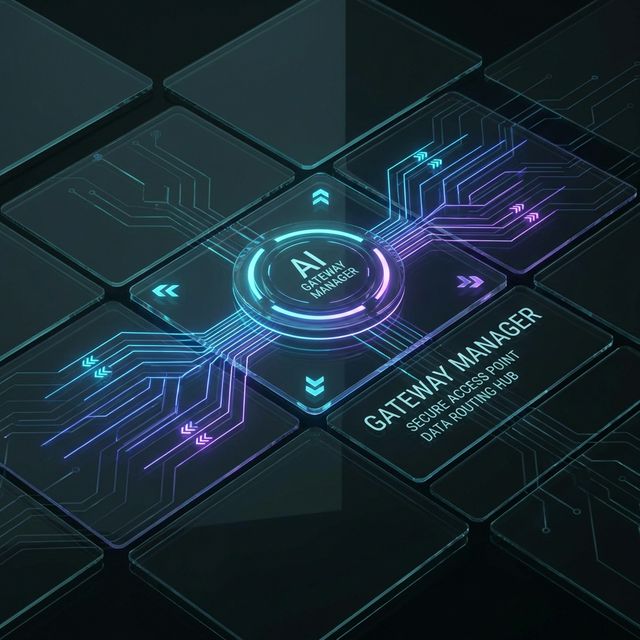
Gateway ในโลกของ OpenClaw คือหัวใจของระบบทั้งหมด มันทำหน้าที่เหมือนกับ พนักงานต่อสายโทรศัพท์ (Phone Switchboard Operator) ในยุคเก่า
อธิบายแบบ Analog:
ลองนึกถึงโรงแรมเก่าๆ ที่มีพนักงานต่อสายนั่งอยู่หน้า switchboard ใหญ่ๆ เมื่อมีสายเข้าจากห้อง 201 พนักงานจะรู้ว่าควรเชื่อมต่อไปหาใคร เมื่อมีสายจากภายนอกโทรเข้ามา พนักงานก็จะถามว่าต้องการต่อไปหาใคร จากนั้นก็กดปุ่มเชื่อมต่อสายให้
Gateway ทำงานแบบนั้นเลย:
- รับ Messages จาก Channel ต่างๆ (Telegram, Discord, Email)
- ตัดสินใจว่า Message นี้ควรส่งไปให้ Agent ตัวไหนจัดการ
- จัดการ Authentication, Authorization และ Routing
- ควบคุมการทำงานของ Agents ทั้งหมด
Gateway Components:
| Component | Function | เปรียบเทียบ |
|---|---|---|
| Message Router | กำหนดเส้นทาง message | สาวโทรศัพท์ต่อสาย |
| Auth Manager | ตรวจสอบสิทธิ์ | รปภ. เช็คบัตร |
| Session Store | เก็บข้อมูล session | แฟ้มลูกค้า |
| Plugin Loader | โหลด channel plugins | ช่างติดตั้งสาย |
| Health Monitor | ตรวจสอบสถานะ | พยาบาลตรวจสุขภาพ |
| Function | Description |
|---|---|
| Message Routing | กำหนดว่า message จาก channel ไหนควรไปหา agent ตัวไหน |
| Authentication | ตรวจสอบว่าผู้ใช้มีสิทธิ์ใช้งานหรือไม่ |
| Session Management | สร้างและจัดการ session สำหรับแต่ละบทสนทนา |
| Health Monitoring | ตรวจสอบสถานะของ agents และ services |
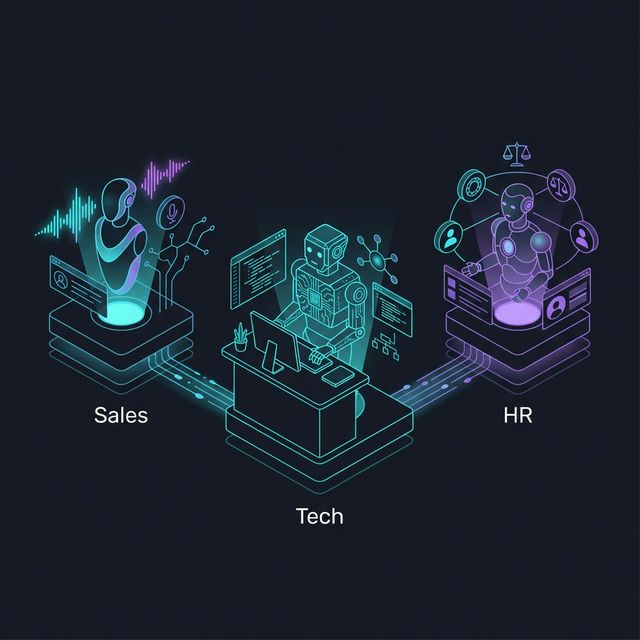
Agent — พนักงาน AI ที่มีบุคลิกเฉพาะตัว (Specialized Worker)
Agent คือ AI Instance ที่ทำงานจริงๆ แต่ละ Agent มี:
- Personality (บุคลิก) — ทำตัวอย่างไร จริงจังหรือเป็นกันเอง
- Knowledge (ความรู้) — อ่านไฟล์อะไรบ้าง เข้าใจอะไรบ้าง
- Tools (เครื่องมือ) — ใช้ tools อะไรได้บ้าง
- Memory (ความจำ) — จำบทสนทนาเก่าได้ไหม จำได้นานแค่ไหน
อธิบายแบบ Analog:
Agent เหมือนกับ พนักงานคนเฉพาะทาง ในองค์กร บางคนเป็นฝ่ายขาย (ขายเก่ง คุยเก่ง) บางคนเป็นวิศวกร (เทคนิคแน่น ละเอียด) บางคนเป็นฝ่ายบุคคล (อ่อนโยน เข้าใจคน) แต่ละคนมีโต๊ะทำงาน (Workspace) เอกสาร (Knowledge) และเครื่องมือ (Tools) ที่แตกต่างกัน
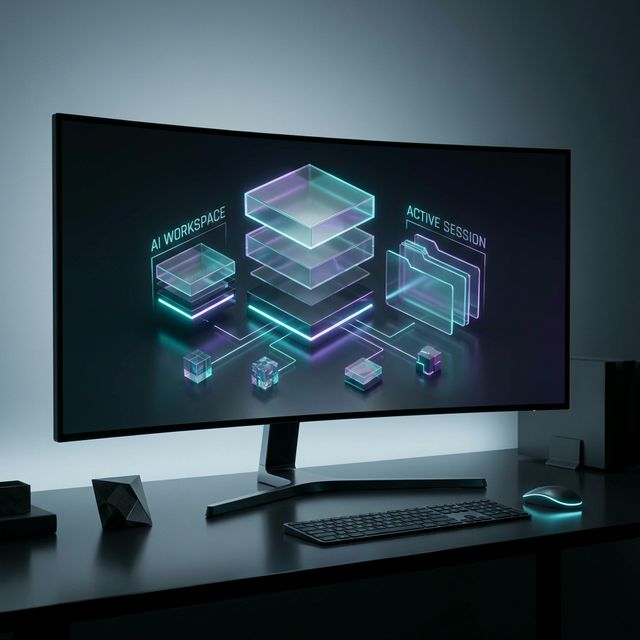
Workspace — โต๊ะทำงานของ Agent (Environment Boundary)
Workspace คือสภาพแวดล้อมการทำงานของ Agent ประกอบด้วย:
- Files — เอกสารที่ Agent อ่านได้
- Memory — ความจำระยะสั้นและยาว
- Tools — เครื่องมือที่ Agent ใช้ได้
- Configuration — การตั้งค่าต่างๆ
อธิบายแบบ Analog:
Workspace เหมือนกับ โต๊ะทำงานของพนักงาน ที่มี:
- แฟ้มเอกสาร (Files)
- สมุดจดบันทึก (Memory)
- กล่องเครื่องมือ (Tools)
- ปฏิทินและตารางนัดหมาย (Configuration)
ถ้า Agent ย้ายโต๊ะ (เปลี่ยน Workspace) ก็เหมือนกับย้ายไปทำงานที่สาขาใหม่ อาจมีเอกสารใหม่อ่าน อาจมีเครื่องมือใหม่ใช้ แต่ตัว Agent (คน) ยังเป็นคนเดิม
Part 2: How do OpenClaw Agents Communicate?
Channel — สายโทรศัพท์สู่โลกภายนอก (Platform Connectors)
Channel คือ Connection ที่เชื่อมต่อ OpenClaw กับ External Services ต่างๆ เช่น:
- Telegram (แชทผ่าน Telegram Bot)
- Discord (แชทใน Discord Server)
- Line (แชทผ่าน Line Official Account)
- Email (ส่ง/รับ Email)
- Webhook (รับ HTTP requests)
อธิบายแบบ Analog:
Channel เหมือนกับ สายโทรศัพท์หลายสาย ที่เชื่อมต่อเข้ามาที่บริษัท:
- สายตรงจากลูกค้า (Telegram)
- สายจากสาขาต่างจังหวัด (Discord)
- สายจากพันธมิตรธุรกิจ (Line)
- สายแฟกซ์ (Email)
แต่ละ Channel มี binding rules เป็นของตัวเองว่าจะส่งต่อไปให้ Agent ตัวไหนจัดการ
| Channel Type | Use Case | Message Direction |
|---|---|---|
| Telegram | Personal assistant, group chat | Two-way |
| Discord | Community management | Two-way |
| Line | Customer service | Two-way |
| Notifications, reports | One-way/Two-way | |
| Webhook | System integrations | Inbound |
Session — บทสนทนาที่ต่อเนื่องกัน
Session คือ Context ของการสนทนาที่ต่อเนื่องกันระหว่าง User กับ Agent หนึ่ง session ประกอบด้วย:
- Message History — ประวัติการคุยย้อนหลัง
- Context Variables — ข้อมูลชั่วคราวระหว่างคุย
- Agent State — สถานะปัจจุบันของ Agent
อธิบายแบบ Analog:
Session เหมือนกับ บทสนทนาที่คุณคุยกับพนักงานคนเดิม ถ้าคุณโทรเข้ามาแล้วพนักงาน A รับสาย คุยกันเรื่องโปรเจกต์ X ไปครึ่งชั่วโมง พนักงาน A จะรู้ว่าคุณกำลังพูดถึงอะไร ไม่ต้องเล่าใหม่ตั้งแต่ต้น นั่นคือ session
OpenClaw มี 2 ประเภทของ Session:
- Main Session — Session หลักที่ไม่มีวันหมดอายุ (จนกว่าจะ reset)
- Sub-session — Session ย่อยที่สร้างขึ้นมาเฉพาะกิจ (เช่น sub-agent tasks)
┌─────────────────────────────────────────────────────┐

### Binding — กฎการจัดสรรงาน

**Binding** คือ Configuration ที่กำหนดว่า **message จากที่ไหนควรส่งไปให้ใคร**

#### อธิบายแบบ Analog:

> Binding เหมือนกับ **กฎการจัดสรรงานของแผนกต้อนรับ**:
>
> - ถ้าสายจากเบอร์ภายใน ต่อไปฝ่าย IT
> - ถ้าสายจากเบอร์ 02-xxxx ต่อไปฝ่ายขาย
> - ถ้าอีเมลมีคำว่า "เรื่องด่วน" ส่งไปหาผู้จัดการโดยตรง

ตัวอย่าง Binding Rules:

| Condition                               | Action                   |
| --------------------------------------- | ------------------------ |
| Channel = Telegram & Group = "Dev Team" | → Agent: CodeAssistant   |
| Channel = Discord & User = "admin"      | → Agent: AdminBot        |
| Message contains "urgent"               | → Agent: PrioritySupport |
| Time = After 6 PM                       | → Agent: NightShift      |

---

## Part 3: Why is Session Management Important in AI Agents?

### Session Reset — เริ่มต้นใหม่

**Session Reset** คือการล้างความจำของ Agent ให้กลับไปเริ่มต้นใหม่ เหมือนกับ **พนักงานลาออกแล้วมีคนใหม่มาแทน** ที่ไม่รู้อะไรเลยเกี่ยวกับคุยก่อนหน้านี้

#### เมื่อไหร่ควร Reset Session?

- เมื่อต้องการเปลี่ยน topic ใหม่ที่ไม่เกี่ยวข้อง
- เมื่อ Agent งงหรือตอบผิดพลาดต่อเนื่อง
- เมื่อต้องการล้าง context variables ที่สะสมไว้

### Session Compaction — บันทึกสรุป

**Compaction** คือกระบวนการ **บีบอัดประวัติการสนทนา** ให้เหลือแค่สาระสำคัญ เพื่อประหยัด tokens และทำให้ Agent ตอบได้เร็วขึ้น

#### อธิบายแบบ Analog:

> Compaction เหมือนกับ **การสรุปรายงานประชุมย้อนหลัง 10 ครั้ง ให้เหลือแค่มติที่ได้** แทนที่จะให้พนักงานอ่าน transcript ยาวๆ 50 หน้า ก็สรุปให้เหลือ bullet points สำคัญๆ แทน

**Before Compaction:**
**After Compaction:**
Code was provided and accepted. Context: pandas, csv parsing.
---
## Part 4: How to Ensure Security and Access Control in OpenClaw?
### Pairing — การลงทะเบียนอุปกรณ์
**Pairing** คือกระบวนการ **สร้างความไว้วางใจระหว่าง Gateway กับ Remote Device** เช่น โทรศัพท์มือถือ แท็บเล็ต หรือคอมพิวเตอร์เครื่องอื่น
#### อธิบายแบบ Analog:
> Pairing เหมือนกับ **การลงทะเบียนลายนิ้วมือเข้าอาคาร**:
>
> - ครั้งแรก: ต้องไปที่แผนกรักษาความปลอดภัย ยืนยันตัวตน สแกนลายนิ้วมือ
> - ครั้งต่อไป: เข้าได้เลยโดยสแกนลายนิ้วมือ
> - ถ้าเปลี่ยนโทรศัพท์: ต้อง pair ใหม่
ขั้นตอน Pairing:
1. Device ส่ง pairing request มาที่ Gateway
2. Gateway แสดง pairing code บนหน้าจอ
3. User ยืนยัน code บน Device
4. Gateway ออก **Gateway Token** ให้ Device
5. Device ใช้ Token นี้ติดต่อ Gateway ได้ในอนาคต
### DM Policy (Direct Message Policy) — กฎข้อความส่วนตัว
**DM Policy** กำหนดว่า **ใครสามารถคุยกับ Agent โดยตรงได้บ้าง** โดยไม่ผ่านกลุ่มหรือช่องทางปกติ
| Policy | Description |
| -------------- | -------------------------------- |
| `allow` | ใครก็ได้สามารถ DM ได้ |
| `deny` | ไม่รับ DM จากใครเลย |
| `whitelist` | รับเฉพาะคนที่อยู่ใน whitelist |
| `group_member` | รับเฉพาะคนที่อยู่ในกลุ่มเดียวกัน |
### Sandbox — พื้นที่ทดลองที่ปลอดภัย
**Sandbox** คือ **สภาพแวดล้อมที่จำกัดสิทธิ์** สำหรับรันโค้ดหรือคำสั่งที่อาจเป็นอันตราย
#### อธิบายแบบ Analog:
> Sandbox เหมือนกับ **ห้องทดลองที่มีกระจกกันรังสี** — นักวิทยาศาสตร์สามารถทดลองของร้ายแรงได้ แต่ถ้าระเบิดก็จะระเบิดแค่ในห้อง ไม่กระทบโลกภายนอก
OpenClaw ใช้ Sandbox สำหรับ:
- รันโค้ดที่ไม่น่าไว้วางใจ
- ทดสอบ tools ใหม่
- จำกัดการเข้าถึงไฟล์และระบบ
---
## Part 5: What are Nodes and Clients in OpenClaw Architecture?
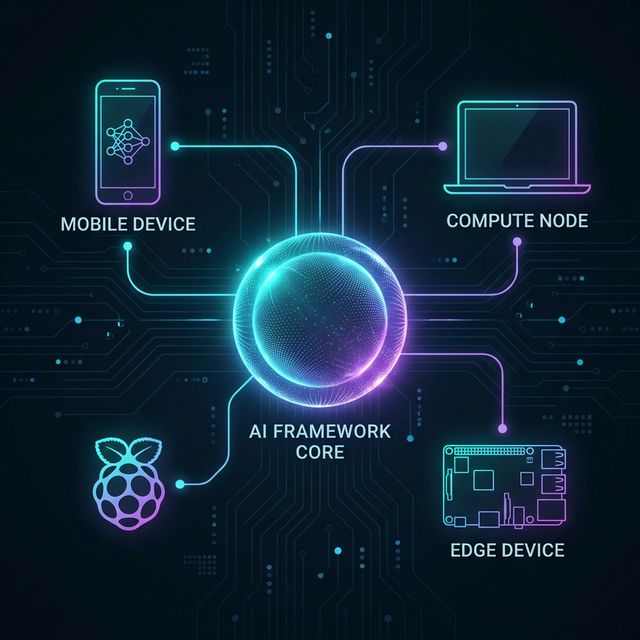
### Node — อุปกรณ์รีโมท
**Node** คือ **Remote Device ที่เชื่อมต่อกับ Gateway** เพื่อให้ Agent สามารถควบคุมอุปกรณ์นั้นๆ ได้
ตัวอย่าง Nodes:
- **โทรศัพท์ Android** — ถ่ายรูป อัดเสียง ดูหน้าจอ
- **คอมพิวเตอร์อีกเครื่อง** — รันโปรแกรม เข้าถึงไฟล์
- **Raspberry Pi** — ควบคุม hardware sensors
#### อธิบายแบบ Analog:
> Node เหมือนกับ **พนักงานที่ทำงาน remotely จากสาขาต่างจังหวัด** — อยู่คนละที่กับสำนักงานใหญ่ แต่สามารถรับคำสั่งและส่งผลงานกลับมาได้
### Control UI — หน้าจอควบคุม
**Control UI** คือ **Interface ที่แสดงบน Node** ให้ผู้ใช้เห็นว่า Agent กำลังทำอะไรอยู่
ลักษณะของ Control UI:
- แสดงสถานะปัจจุบัน
- แสดงขั้นตอนที่กำลังทำ
- มีปุ่มยกเลิกหรือหยุดการทำงาน
- แสดง preview ของผลลัพธ์
### Canvas — กระดานวาดภาพ
**Canvas** คือ **Interactive Whiteboard** ที่ Agent สามารถวาด แสดงภาพ หรือสร้าง visualization ได้
#### อธิบายแบบ Analog:
> Canvas เหมือนกับ **กระดานไวท์บอร์ดในห้องประชุม** ที่ทุกคนมองเห็น พิมพ์ได้ วาดได้ แปะรูปได้ Agent ใช้ Canvas เพื่อ:
>
> - แสดงกราฟและ chart
> - วาด diagram อธิบาย concept
> - แสดง progress bar ระหว่างทำงาน
> - สร้าง interactive UI
---
## Part 6: How to Extend AI Agent Capabilities with Tools and Skills?
### Tool — พลังพิเศษของ AI
**Tool** คือ **ความสามารถพิเศษที่ Agent สามารถเรียกใช้ได้** เช่น:
- `web_search` — ค้นหาข้อมูลบนอินเทอร์เน็ต
- `browser` — ควบคุมเบราว์เซอร์
- `exec` — รันคำสั่งบนเซิร์ฟเวอร์
- `read` — อ่านไฟล์
- `image` — วิเคราะห์รูปภาพ
#### อธิบายแบบ Analog:
> Tool เหมือนกับ **superpowers ของซูเปอร์ฮีโร่**:
>
> - Superman บินได้ มี laser eyes
> - Spider-Man ยิงใย ปีนตึกได้
> - แต่ละ Agent ก็มี tools ที่แตกต่างกันไปตามหน้าที่
### Skill — แอพพลิเคชันที่ติดตั้ง
**Skill** คือ **ชุด Tools และ Knowledge ที่บรรจุเป็นชุด** เพื่อให้ Agent ทำงานเฉพาะทางได้
ตัวอย่าง Skills:
- **Kanban Skill** — Tools สำหรับจัดการงานบน Trello/Notion
- **Git Skill** — Tools สำหรับทำงานกับ Git repository
- **Weather Skill** — Tools สำหรับเช็คพยากรณ์อากาศ
#### เปรียบเทียบ Tool vs Skill:
| Tool | Skill |
| ----------------- | ----------------------- |
| เครื่องมือเดี่ยวๆ | ชุดเครื่องมือ + ความรู้ |
| ทำงานเดียว | ทำงานที่ซับซ้อน |
| เช่น: web_search | เช่น: kanban_management |
| ไม่ต้องติดตั้ง | ต้อง install ก่อน |
### Plugin — ส่วนขยายระบบ
**Plugin** คือ **Extension ที่เพิ่มความสามารถให้ Gateway** เช่น:
- Channel plugins (เชื่อมต่อ Telegram, Discord)
- Model plugins (เชื่อมต่อ OpenAI, Anthropic)
- Storage plugins (เชื่อมต่อ Database)
---
## Part 7: How does Messaging Feature Work in OpenClaw?
### Chunking — การแบ่งข้อความยาว
**Chunking** คือการ **แบ่งข้อความยาวๆ ออกเป็นส่วนเล็กๆ** สำหรับส่งผ่าน messaging platforms ที่มี limit
#### อธิบายแบบ Analog:
> Chunking เหมือนกับ **การแบ่งหนังสือหนาๆ เป็นเล่มย่อยๆ** — ถ้าส่งหนังสือ 500 หน้าไปในกล่องไปรษณีย์ที่ใส่ได้แค่ 50 หน้า ก็ต้องแบ่งเป็น 10 กล่อง
| Platform | Max Message Length | Chunking Strategy |
| -------- | ------------------ | -------------------------- |
| Telegram | 4096 characters | Split at paragraph |
| Discord | 2000 characters | Split with continue marker |
| Line | 5000 characters | Smart break at sentence |
### Queue Mode — การจัดคิวข้อความ
**Queue Mode** คือการ **รันข้อความทีละข้อความ** แทนที่จะประมวลผลพร้อมกันหลายข้อความ
#### เมื่อไหร่ใช้ Queue Mode?
- เมื่อ Agent ต้องการรักษาลำดับการทำงาน
- เมื่อมีข้อความเข้ามาพร้อมกันหลายข้อความ
- เมื่อต้องการป้องกัน race conditions
---
## Part 8: How to Configure OpenClaw for Custom Workflows?
### JSON Configuration — ไฟล์ตั้งค่าหลัก
OpenClaw ใช้ **JSON files** สำหรับกำหนดค่าการทำงานทั้งหมด:
```json
{
"agents": {
"my-assistant": {
"model": "claude-3-opus",
"tools": ["web_search", "read", "write"],
"systemPrompt": "You are a helpful assistant..."
}
},
"channels": {
"telegram": {
"type": "telegram",
"token": "${TELEGRAM_BOT_TOKEN}"
}
},
"bindings": [
{
"channel": "telegram",
"agent": "my-assistant"
}
]
}
Environment Variables — ตัวแปรสภาพแวดล้อม
Environment Variables ใช้สำหรับเก็บ ข้อมูลลับ เช่น:
- API Keys
- Database passwords
- Tokens สำหรับเชื่อมต่อ services
# .env file
OPENAI_API_KEY=sk-xxxxxxxx
TELEGRAM_BOT_TOKEN=123456:ABC-DEF
ANTHROPIC_API_KEY=sk-ant-xxxxxxxx
Part 9: Which AI Models and Auth Profiles are Supported?
Auth Profile — โปรไฟล์การยืนยันตัวตน
Auth Profile คือ ชุดข้อมูลประจำตัวสำหรับเชื่อมต่อ services ต่างๆ
| Service | Auth Type | Example |
|---|---|---|
| OpenAI | API Key | sk-xxxxxxxx |
| Anthropic | API Key | sk-ant-xxxxxxxx |
| Telegram | Bot Token | 123456:ABC-DEF |
| OAuth | Client ID + Secret |
Model Provider — ผู้ให้บริการ AI Model
OpenClaw รองรับหลาย Model Providers:
| Provider | Models | Strengths |
|---|---|---|
| OpenAI | GPT-4, GPT-3.5 | General purpose, fast |
| Anthropic | Claude 3 Opus/Sonnet | Reasoning, long context |
| Gemini Pro | Multimodal | |
| Local | Ollama, LM Studio | Privacy, no API cost |
Part 10: How to Monitor and Maintain OpenClaw Operations?
Heartbeat — การตรวจสอบเป็นระยะ
Heartbeat คือ การส่งสัญญาณเป็นระยะๆ เพื่อบอกว่า Agent ยังมีชีวิตอยู่และทำงานปกติ
อธิบายแบบ Analog:
Heartbeat เหมือนกับ นาฬิกาปลุกที่ดังทุก 30 นาที — ถ้าดังแสดงว่ายังไม่หลับ ถ้าไม่ดังแสดงว่าอาจมีอะไรผิดปกติ
Agent ──heartbeat──▶ Gateway
       (every 30s)

ถ้า Gateway ไม่ได้รับ Heartbeat นานเกิน 2 นาที
→ ถือว่า Agent หลับ/ล่ม → แจ้งเตือน
Cron — งานที่ทำตามเวลา
Cron คือ งานที่ถูกกำหนดให้รันตาม schedule เช่น:
- ทุกๆ ชั่วโมง
- ทุกวันเวลา 9 โมงเช้า
- ทุกวันจันทร์
# Cron Expression
0 9 * * 1  = ทุกวันจันทร์ เวลา 9:00
0 */6 * * * = ทุก 6 ชั่วโมง
Health Check — ตรวจสอบสุขภาพระบบ
Health Check คือการ ตรวจสอบว่าทุกอย่างทำงานปกติ:
- Gateway ตอบสนองไหม?
- Agents พร้อมทำงานไหม?
- Channels เชื่อมต่อได้ไหม?
- Database เข้าถึงได้ไหม?
Part 11: How to Enable Remote Access for AI Agents?
Tailscale — VPN ส่วนตัว
Tailscale คือ VPN service ที่ช่วยให้อุปกรณ์ต่างๆ เชื่อมต่อกันได้อย่างปลอดภัย แม้จะอยู่คนละ network
อธิบายแบบ Analog:
Tailscale เหมือนกับ ทางลับที่เชื่อมต่ออาคารต่างๆ ในเมือง — ไม่ต้องเดินถนนใหญ่ที่มีคนจับจ้อง แต่เดินทางลับที่ปลอดภัยกว่า
SSH — เข้าถึงระบบระยะไกล
SSH (Secure Shell) คือ protocol สำหรับ remote login ที่เข้ารหัสข้อมูลทั้งหมด
# เข้าไปที่ server ผ่าน SSH
ssh username@server-address

# รันคำสั่งบน remote server
ssh username@server-address "ls -la"
Bind Address — ที่อยู่การเชื่อมต่อ
Bind Address กำหนดว่า Gateway จะ รับ connection จาก IP ไหน:
0.0.0.0— รับจากทุกที่ (ทุก network interface)127.0.0.1— รับจากเครื่องตัวเองเท่านั้น (localhost)192.168.1.100— รับจากเฉพาะ network นั้น
Part 12: How Does the OpenClaw Ecosystem Work Together?
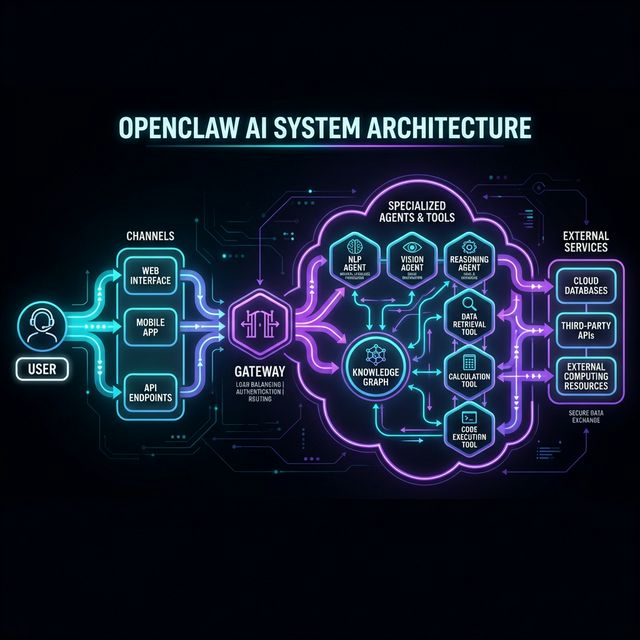
ภาพรวมระบบทั้งหมด
ตัวอย่าง Flow การทำงานจริง
Scenario: คุณส่งข้อความ “ช่วยหาข้อมูลสภาพอากาศวันนี้และส่งไปที่กลุ่ม Discord”
1. [You] → ส่งข้อความผ่าน Telegram
         ↓
2. [Telegram Channel] → ส่ง webhook ไป Gateway
         ↓
3. [Gateway] → ตรวจสอบ Authentication → ผ่าน
             → เช็ค Binding Rules → ส่งให้ Agent A
         ↓
4. [Agent A] → ได้รับข้อความใน Session
             → วิเคราะห์ว่าต้องใช้ Tools อะไร
         ↓
5. [Tool: web_search] → ค้นหาข้อมูลสภาพอากาศ
         ↓
6. [Agent A] → ได้ผลลัพธ์ → สั่งส่งข้อความ
         ↓
7. [Discord Channel] → ส่งข้อความไปยังกลุ่มที่กำหนด
         ↓
8. [Group Members] → เห็นข้อความพยากรณ์อากาศ
FAQ — Questions About OpenClaw Architecture
Q1: What is the difference between OpenClaw and ChatGPT?
ChatGPT คือ AI ตัวเดียวที่ทำงานบนเซิร์ฟเวอร์ของ OpenAI คุยผ่านหน้าเว็บหรือแอพ
OpenClaw คือ Framework ที่ให้คุณ:
- สร้าง Agents หลายตัว แต่ละตัวมีบุคลิกและความสามารถต่างกัน
- เชื่อมต่อกับ messaging apps ที่คุณใช้อยู่แล้ว (Telegram, Discord, Line)
- ให้ Agents ใช้ Tools ต่างๆ เช่น ค้นหาเว็บ, รันโค้ด, ควบคุมอุปกรณ์
- เก็บข้อมูลเป็นความลับบนเซิร์ฟเวอร์ของคุณเอง
Q2: Do I need programming skills to use OpenClaw?
ไม่จำเป็นต้องเป็นโปรแกรมเมอร์ ก็ใช้ได้! OpenClaw ออกแบบมาให้ configure ผ่านไฟล์ JSON ได้
แต่ถ้าคุณ:
- ไม่เป็นโปรแกรมมิ่งเลย → ใช้ template สำเร็จรูป แก้ค่าบางอย่าง
- พอเข้าใจพื้นฐาน → ปรับแต่ง agents, tools, bindings ได้เอง
- เป็นโปรแกรมเมอร์ → สร้าง custom tools และ plugins ได้
Q3: Is my data secure when using OpenClaw?
OpenClaw เป็น self-hosted แปลว่าคุณรันบนเซิร์ฟเวอร์ของตัวเอง:
- ข้อความแชทไม่ผ่านเซิร์ฟเวอร์ของเรา
- API keys เก็บบนเครื่องคุณเอง
- สามารถรัน offline ได้ (ถ้าใช้ local AI models)
แต่ก็ขึ้นกับคุณว่าจะ secure server ของตัวเองดีแค่ไหน
Q4: How much does it cost to run OpenClaw?
OpenClaw ฟรี (open source) แต่ค่าใช้จ่ายอื่นที่อาจมี:
| Cost Item | Approximate Price |
|---|---|
| OpenClaw (Software) | $0 (Free) |
| Server/VPS | $5-20/เดือน |
| OpenAI API | $0.01-0.20/1K tokens |
| Anthropic API | $0.03-0.15/1K tokens |
| Telegram Bot | ฟรี |
| Discord Bot | ฟรี |
ประหยัดเงินได้โดย:
- ใช้ Local AI Models (ผ่าน Ollama) แทน API
- ใช้เซิร์ฟเวอร์ราคาถูก (เช่น Oracle Cloud Free Tier)
- ปรับ model ให้เหมาะกับงาน (ไม่ต้องใช้แพงสุดเสมอไป)
Q5: What can I build with OpenClaw agents? (Best Use Cases)
ตัวอย่าง Use Cases:
| Use Case | Description |
|---|---|
| Personal Assistant | จัดการปฏิทิน, ตอบอีเมล, เตือนความจำ |
| Customer Support | ตอบคำถามลูกค้า 24/7 ผ่าน Line/Discord |
| Code Assistant | ช่วยเขียนโค้ด, review PR, debug |
| Data Analyst | วิเคราะห์ข้อมูล, สร้าง report, แสดง chart |
| Home Automation | ควบคุมอุปกรณ์ smart home ผ่าน Node |
| Content Creator | ช่วยเขียนบทความ, แปลภาษา, สร้าง TTS |
Q6: What is the difference between an AI Bot and an AI Agent?
| Bot | Agent |
|---|---|
| ตอบตาม script ที่ตั้งไว้ | ตัดสินใจเองว่าจะทำอะไร |
| ไม่มี memory ระหว่างคุย | จำ context ได้ |
| ใช้ tools ไม่ได้ (หรือน้อย) | ใช้ tools ได้หลายอย่าง |
| ตอบตายตัว | ปรับ tone, style ได้ |
OpenClaw Agents มีคุณสมบัติของทั้งสองอย่าง: ทำตามคำสั่งได้ (เหมือน bot) แต่ก็ตัดสินใจอัตโนมัติได้ (เหมือน agent)
Q7: When do OpenClaw sessions expire?
- Main Session — ไม่มีวันหมดอายุ (จนกว่าคุณจะ reset)
- Sub-session — หมดอายุเมื่อ task เสร็จสิ้น
- Context Window — จำกัดตาม model (เช่น Claude 3 จำได้ 200K tokens)
เมื่อใกล้เต็ม context window OpenClaw จะ compact session อัตโนมัติ
Q8: Which AI model is best for OpenClaw agents?
ขึ้นกับ use case:
| Use Case | Recommended Model | เหตุผล |
|---|---|---|
| งานทั่วไป | Claude 3.5 Sonnet | เร็ว, ถูก, เก่ง |
| Coding | Claude 3.5 Sonnet | เข้าใจ code ดี |
| Reasoning ซับซ้อน | Claude 3 Opus | ลึก ละเอียด |
| ประหยัดเงิน | GPT-4o Mini | ถูกมาก |
| Privacy สูงสุด | Local LLM (Ollama) | ไม่ออกจากเครื่อง |
Q9: How to get started with OpenClaw?
ขั้นตอนง่ายๆ:
- ติดตั้ง OpenClaw บน server
- สร้าง Telegram Bot (ผ่าน @BotFather)
- เขียน config ง่ายๆ สักไฟล์
- รัน Gateway
- คุยกับ Bot ผ่าน Telegram
เริ่มจาก simple ก่อน แล้วค่อยๆ เพิ่มความซับซ้อน
Q10: Is there an OpenClaw community or support?
- GitHub Issues — รายงาน bugs, ขอ features
- GitHub Discussions — ถามคำถาม, แชร์ ideas
- Discord Server — คุยสดกับ community
Key Takeaways: Strategic Decisions with OpenClaw
- Gateway-First Architecture: เลือกใช้ Gateway เพื่อความยืดหยุ่นในการขยาย Platform (Scalability) และความปลอดภัย (Centralized Auth).
- Session Continuity: ความสามารถในการจำ Context ของ OpenClaw ทำให้เหมาะสำหรับงานที่ต้องทำต่อเนื่องนานๆ (Long-running Tasks).
- Environment Isolation: การใช้ Workspace และ Sandbox ช่วยลดความเสี่ยงจากการรัน Code ที่ไม่น่าไว้วางใจ.
- Node Connectivity: เปิดโอกาสให้ AI ควบคุม Hardware และ Cloud Systems ได้อย่างไร้รอยต่อ.
English Summary: Deciphering OpenClaw Architecture
This guide provides a comprehensive overview of OpenClaw, an advanced Multi-Agent Orchestration Framework designed for enterprise-grade AI automation. Understanding OpenClaw terminology is crucial for developers and architects looking to deploy autonomous agents that can interact with the physical and digital world.
Core Components
- Gateway: Acts as the central nervous system. It manages routing, authentication, and platform connectivity (Telegram, Discord, etc.), allowing agents to remain platform-agnostic.
- Agent: The execution unit with defined personality, knowledge, and toolsets. Agents operate within specific Workspaces to ensure data isolation.
- Nodes: Remote devices controlled by agents, enabling AI interaction with local files, hardware, or specific environments through secure protocols like SSH and Tailscale.
Communication & Persistence
OpenClaw excels at maintaining Session Continuity. Unlike stateless chatbots, OpenClaw agents use Sessions to track multi-turn conversations and task states. To optimize performance and cost, the system uses Compaction to summarize histories, ensuring agents stay within model context windows without losing critical information.
Security and Extensibility
Security is baked into the architecture through Sandbox environments for safe code execution and strict DM Policies. Developers can extend agent capabilities by installing Skills—bundled sets of tools and knowledge specialized for tasks like data analysis, git management, or IoT control.
By decoupling the communication layer (Gateway) from the execution layer (Agent), OpenClaw offers a robust, scalable, and secure foundation for the next generation of Agentic AI.
Conclusion — สรุป
OpenClaw เป็น AI Agent Framework ที่ช่วยให้คุณสร้าง AI Agents ที่สามารถ:
- ✅ คุยกับคุณผ่านแอพที่ใช้อยู่แล้ว (Telegram, Discord, Line)
- ✅ ใช้ Tools เพื่อทำงานจริง (ค้นหา, รันโค้ด, ควบคุมอุปกรณ์)
- ✅ จดจำ context ผ่าน Sessions ที่ต่อเนื่องกัน
- ✅ ทำงานร่วมกับ Nodes (อุปกรณ์ remote)
- ✅ แยก agents ตามหน้าที่ แต่ละตัวมี Workspace เป็นของตัวเอง
Core Concepts ที่ต้องจำ: | Concept | อธิบายสั้นๆ | |———|————-| | Gateway | ผู้จัดการศูนย์กลาง | | Agent | AI ที่มีบุคลิกและความสามารถ | | Workspace | โต๊ะทำงานของ Agent | | Channel | สายโทรศัพท์สู่โลกภายนอก | | Session | บทสนทนาที่ต่อเนื่องกัน | | Tool | พลังพิเศษของ AI | | Node | อุปกรณ์ remote |
เริ่มต้นใช้งาน OpenClaw วันนี้!
ถ้าคุณสนใจลองใช้ OpenClaw เริ่มต้นได้ง่ายๆ:
- อ่าน Documentation ที่ docs.openclaw.io
- Clone Repository จาก GitHub
- Join Community บน Discord
- ลอง Deploy บน server ของคุณ
หรือถ้าอยากลองก่อนว่า OpenClaw ทำอะไรได้บ้าง ลองคุยกับเราผ่าน Telegram Bot ได้เลย!
อ่านบทความที่เกี่ยวข้อง
- OpenClaw: อนาคตของ Agentic AI และการเปลี่ยนแปลงครั้งใหญ่
- GLM-5 + OpenClaw: คู่มือการสร้าง AI Agent ระดับ Enterprise
- 99 ไอเดีย Automation บน OpenClaw ที่ทำเงินได้จริง
หวังว่าบทความนี้จะช่วยให้คุณเข้าใจ OpenClaw terminology ได้ดีขึ้น ถ้ามีคำถามเพิ่มเติม สามารถคอมเมนต์ไว้ด้านล่างได้เลยครับ!